
What Is Yelp?
Yelp aims to connect people with great local businesses and Yelp Business Accounts allow businesses to share information with the Yelp Community. Simply put, it’s word of mouth — amplified.
-
Create a Yelp Deal
Turn Yelp visitors into paying customers. Create a Deal in minutes. When Yelp users buy your Deal, you get paid.
-
Message Your Customers
You have a voice, so join the conversation regarding a business; reply to reviews either publicly or privately.
-
View Business Trends
What’s word-of-mouth doing for you? Stats and charts measure the performance of a business page on Yelp.
Over 78 million people visited Yelp in Q2 2012 to make spending decisions. To help businesses get the most out of their online presence, Yelp Business Accounts offer a suite of FREE tools for businesses.
- Communicate with your customers– privately and publicly
- Track how many people view your business page
- Add photos, a detailed business description, up-to-date information, history, and specialties
- Recommend other businesses
PURPOSE: To connect people with great local businesses
10Things You Should Know About Yelp
- Yelp was founded in 2004 to help people find great local businesses like dentists, hair stylists and mechanics.
- Yelp had an average of approximately 78 million monthly unique visitors in Q2 2012.
- Yelpers have written over 30 million local reviews.
- In addition to reviews, you can use Yelp to find events, lists and to talk with other Yelpers.
- Every business owner (or manager) can setup a free account to post photos and message her customers.
- Yelp makes money by selling ads to local businesses – you’ll see these clearly labeled “Yelp Ads” around the site.
- Paying advertisers can never change or re-order their reviews.
- Yelp has an automated filter that suppresses a small portion of reviews – it targets those suspicious ones you see on other sites.
- You can access Yelp via iPhone, Android, BlackBerry, and more – see the full list of mobile apps here.
- The Weekly Yelp brings locals updates on the latest and greatest business openings & other happenings.
What is LinkedIn?
Establish your professional profile
LinkedIn gives you the keys to controlling your online identity. Have you Googled yourself lately? You never know what may come up. LinkedIn profiles rise to the top of search results, letting you control the first impression people get when searching for you online.
Stay in touch with colleagues and friends
In today’s professional world, people change jobs and locations constantly. By connecting on LinkedIn, your address book will never go out of date. Your contacts update their profiles, keeping you current with their latest jobs, projects and contact info. You’ll stay in closer contact with great tools to communicate and collaborate
Find experts and ideas
Sometimes your immediate circle can’t resolve a unique business challenge. Tools like Answers and Groups let you locate and interact with experts through trusted introductions. LinkedIn Search lets you explore the broader network by name, title, company, location, and other keywords that will help you find the knowledge you’re looking for.
Explore opportunities
Whether you’re looking for a career opportunity, winning new clients or building your professional reputation, LinkedIn connects you to jobs, sales leads and ideal business partners. With our powerful search engine, company research tools and a jobs board that shows who you know at listed companies, LinkedIn is the place to turn for new opportunities.
97% of consumers search for local businesses online.
The fastest, simplest way to stay close to everything you care about.
An information network
Twitter is a real-time information network that connects you to the latest stories, ideas, opinions and news about what you find interesting. Simply find the accounts you find most compelling and follow the conversations.
At the heart of Twitter are small bursts of information called Tweets. Each Tweet is 140 characters long, but don’t let the small size fool you—you can discover a lot in a little space. You can see photos, videos and conversations directly in Tweets to get the whole story at a glance, and all in one place. See it in action.
You don’t have to tweet to get value from Twitter
You don’t have to build a web page to surf the web, and you don’t have to tweet to enjoy Twitter. Whether you tweet 100 times a day or never, you still have access to the voices and information surrounding all that interests you. You can contribute, or just listen in and retrieve up-to-the-second information. Visit fly.twitter.com to learn more about what’s yours to discover.
Twitter for Businesses

Twitter connects businesses to customers in real time—and businesses use Twitter to quickly share information with people interested in their products and services, gather real-time market intelligence and feedback, and build relationships with customers, partners and influencers. From brand lift to CRM to direct sales, Twitter offers businesses an easy way to reach an engaged audience. Visit Twitter 101 for Businesses to learn more.
Twitter around the world

Twitter was founded in San Francisco, but it’s used by people in nearly every country in the world. The service is available in more than 20 languages, and we continue to add them. You can change your language preference in your user settings with just a few clicks.
Twitter on the go
Experience Twitter on your mobile device by using one of our free Twitter apps for iPhone, iPad, Android, BlackBerry and Windows 7. To get the latest apps, go totwitter.com/download on your mobile device.
Twitter for SMS
Twitter for SMS is an instant infrastructure for mobile communications. Individuals, businesses and social causes can use Twitter for SMS and our Fast Follow program to connect directly to anyone with a mobile phone. Here’s a list of all the countries that offer Twitter for SMS; we are actively working to add even more.
Twitter in the Community

Twitter lends itself to cause and action. Every day, we are inspired by stories of people using Twitter to help make the world a better place in unexpected ways. Visitstories.twitter.com to learn more.
And with just a Tweet, millions of people learn about or show their support for positive initiatives that might have otherwise gone unnoticed. Programs like Twitter Ads for Good offer a way for non-profit organizations to promote their efforts the same way as businesses can. As more community-centric organizations join the platform, citizens will increasingly engage with the efforts taking place to move their community forward. Follow@TwitterGood and @TwitterSF for more on these topics.
About foursquare
What is foursquare?
foursquare is a free app that helps you and your friends make the most of where you are. When you’re out and about, use foursquare to share and save the places you visit. And, when you’re looking for inspiration for what to do next, we’ll give you personalized recommendations and deals based on where you, your friends, and people with your tastes have been.
Whether you’re setting off on a trip around the world, coordinating a night out with friends, or trying to pick out the best dish at your local restaurant, foursquare is the perfect companion.
foursquare by the numbers (last updated September, 2012)
- Community: Over 25 million people worldwide
- Over 2.5 billion check-ins, with millions more every day
- Businesses: Over a million using the Merchant Platform (more information atfoursquare.com/business)
- Employees: Over 100 between headquarters in New York, an office in San Francisco, and a lovely outpost in London.
When was foursquare founded?
foursquare co-founders Dennis Crowley and Naveen Selvadurai met in 2007 while working in the same office space (at different companies) in New York City. Working from Dennis’ kitchen table in New York’s East Village, they began building the first version of foursquare in fall 2008, and launched it at South by Southwest Interactive in Austin, Texas in March 2009.
Learn more by following Dennis’ A brief history of foursquare list!
Who are foursquare’s investors?
We’re funded by Union Square Ventures, O’Reilly AlphaTech Ventures, Andreessen Horowitz, Spark Capital and a handful of angel investors.
How can my business, brand or agency work with foursquare?
Whether you’re a mom-and-pop shop, a national chain, or a brand, foursquare can provide you with tools to engage with your customers and fans. Please visit foursquare.com/business for information on how you can start working with foursquare.
I have a cool idea for a social service. Is there a way to build this onto foursquare?
Yes! Just like Twitter, foursquare has an API that allows developers to build their ideas on the foursquare platform. Developers have already used the API to build new check-in functionality, cool games, and interesting data visualizations. You can read up on the documentation here.
Is foursquare hiring?
Yes! We’re always looking to hire amazing talent for our New York and San Francisco offices. For a list of open positions, check out foursquare.com/jobs.
So is it ‘check-in’ or ‘check in’?
It’s both! When you use it as a verb, it’s ‘check in.’ (For example, “Are you going to check in here? They have a free massage Special.”) ‘Check-in’ is the noun form. (For instance, “That was my most amazing check-in ever, I can’t believe I got a free massage!”) And never use checkin. Every time you do, we cry on the inside.
I’m really into technology. What’s foursquare built on?
Because of our pretty insane growth, we’ve designed our entire software stack to be as flexible and scalable as possible. It’s allowed us to go from a few thousand users to over fifteen million, and also to easily add more amazing engineers and get them contributing right away.
foursquare is currently hosted within Amazon’s EC2 service, using hundreds of servers running a bare bones version of CentOS Linux. We use NGINX to route requests and serve static content, andHAProxy to load balance web and API requests across many machines.
Then we get to the fun part. Moving up the stack, the live site data is stored in MongoDB (though we use Memcache to cache a small set of expensive calculations). For offline data analysis we regularly snapshot our live data and import it into a Hadoop cluster. We have some custom MapReduce jobs, but mostly rely on Hive’s simple query syntax and a custom built job scheduler for regular calculations. We use Solr and Elasticsearch for powering venues, tips, users, and events search. Our search geo-indexing uses Google’s s2 library to store cellids within our search index. We use PostGIS and the wonderful geonames.org dataset to reverse geocode addresses into coordinates, which allows us to place venues on a map and make them available for location-based search. Kestrel is our queue for asynchronous tasks that we wish to perform out of band of users’ requests. User generated photos are stored on Amazon S3 with content delivery through Akamai. There is a bit more complexity if you dig deeper, but that’s the heart of it.
Almost all of the code for the web site, API, and batch processing is written in Scala. The web and API are built on top of the Lift web framework. We also use a good bit of Python and Bash scripting for automating build, deployment, and operations tasks. Finally, the dynamic content on the web site is written in javascript with a mix of jQuery, Backbone.js for object models, and Soy for templating.
We use beautiful maps by MapBox created using data provided by the wonderful ©OpenStreetMap(and) contributors, CC-BY-SA. The interactive maps are generated using the open-source library Leaflet.
And we’re constantly pushing the limits and trying new things. Want to come join us? We’re looking for world-class engineers who want to do amazing things.
You can learn more about the technology we use on our engineering blog and on our github.
Need more information? Please email press@foursquare.com. We’re a very small team and we receive a high volume of requests each day, so we apologize in advance if we’re not able to get back to you immediately. If you’re on deadline, please include the word “URGENT” and the date and time of your deadline in the subject line of your message, and we’ll get back to you as soon as possible.
DSM Solutions manages the social networks listed above. DSM Solutions will use these networks to build communities, build awareness, increase SEO, harness the power of loyal customers, advertise through Facebook, Twitter and YouTube, promotions, specials, discounts and more.
What are the benefits of the product?
Social networks are used by real people. They don’t use these networks as a business standpoint. People use social networks to connect with other like-minded individuals (friends).
Users share ideas, their thoughts, and most importantly their opinions. By being a player in these social networks businesses can influence what is being said about your product or business. By being active, businesses can monitor its competitors and what is being said about them. By being ahead of the curve, businesses can find new customers by encouraging their current ones to share their opinions about the product or business. DSM Solutions manages all of this for its clients.
Building Awareness
These networks build awareness by sharing the actions of the users with their friends. If someone completes an action on any of these networks, the action is broadcasted either to their friends or to others who engage with the product or business.
Building awareness is like having a virtual billboard. Every time someone goes by your billboard you are reminding them of your product or service. However, the billboard is only temporarily viewable. A user has to interact with your product or business in order for others to see your billboard. This is the essence of virility.
Generate Leads and Sales
Here are the top four value-driven purchase requirements by consumers in 2012:
Honesty
Conscious consumers insist that companies reliably and accurately detail product features and benefits. They will reward companies that are honest about processes and practices, authentic about products and accountable for their impact on the environment and larger society. Making unsubstantiated green claims or over promising benefits risks breeding cynicism and distrust.
Convenience
Faced with increasing constraints on their time and household budgets, conscious consumers are practical about purchasing decisions, balancing price with needs and desires and demanding quality. These consumers want to do what’s easy, what’s essential for getting by and make decisions that fit their lifestyles and budget.
Relationships
Who made it? Where does it come from? Am I getting back what I put into it? These consumers want more meaningful relationships with the brands in their lives. They seek out opportunities to support the local economy when given the chance, want to know the source of the products they buy and desire more personal interactions when doing business.
“While consumers continue to prioritize personal and practical concerns like health, safety, price and quality, they are also looking to make a difference in the world,” said David Lubensky, founder of Bagatto, a San Francisco- based ethnographic research firm. “We see a trend toward ‘self-centered
consciousness,’ whereby consumers want companies to meet their personal needs and positively impact society.”
DSM Solutions uses these consumer behaviors to drive more sales and leads for businesses. By being available on the social networks which consumers of all kinds interact with every day, a business can display honesty by relaying articles, press releases and best of all – posting as the business itself.
Secondly, the convenience factor is crucial with consumer behaviors. Consumers want to do what’s easy – by allowing users see a business’s products displayed with information and a one-click link to buy, how much more convenient can you get?
Lastly, building relationships is critical to success. A business that is available and interactive on these social networks can directly communicate with its followers (friends) and their friends. Building relationships is as simple as connecting with consumers. For example, if a business is donating product X to an animal shelter, that business should make that information available online so that its followers can see this and interact.
DSM Solutions manages this entire process. DSM will convey the message that your business wants to its followers. DSM will provide purchasing convenience to spark impulse purchases and make sure they are available when users are ready to make a purchase. DSM will also build relationships with these followers so that they promote the business or products and tell their friends about it (word of mouth advertising).

 Factors contributing to the growth of e-commerce:
- More loyalty programs online
- 40% of Twitter users regularly search forproducts via Twitter
- 22% of time online spent on channels like Facebook, Twitter and Pinterest
- 12% of consumers have purchased a product online because of info they found on Twitter
- 60% are willing to post about products/services in FB if they get a deal or discount
- In Q1 2012, users logged an average of 24 minutes per day using social apps (on phone)
- Increasing popularity of smartphones and tablets which lead to spending more time online
- The tablet shopping experience also likely encourages shoppers to purchase more products in an impulse fashion
https://www.facebook.com/DSMSolutions
@DSM_Solutions
Multimedia
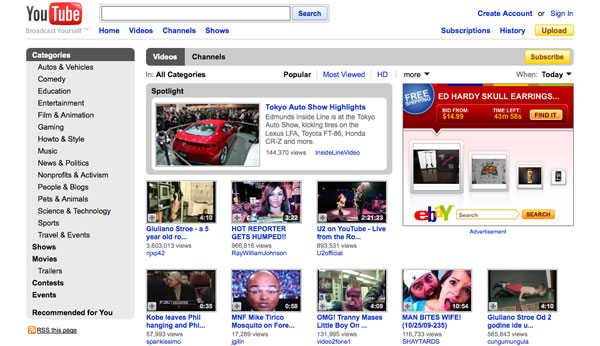
Multimedia (video, photos, audio) is a bit more complicated for many small businesses to execute, but can provide excellent social media marketing opportunities.
Basic Strategy:
YouTube has been constantly evolving and adding features that make it an attractive social site for small businesses. Although you don’t have to produce videos to participate on YouTube, you should consider whether simple videos can help your marketing efforts. For example, if you’re already posting videos to your blog, you can upload them to YouTube to reach a broader audience, and embed the video content in your blog posts. YouTube has also been adding more comprehensive activity updates for its users and has made pretty powerful analytics tools available so that you can evaluate the effectiveness of your video content.
Similarly, you could start a Flickr account for your business and post photos of your customers or your products (or both). Flickr offers a place where people can share photos with others, but also has discussion groups, many focused on local markets, that offer additional opportunities for you to market your business. You can also consider setting up your own Internet radio talk show using BlogTalkRadio, which is another way to use multimedia to speak directly to your customers. Get creative with it — own a restaurant? Start a call-in show for people to ask cooking questions. Are you a piano teacher? Perhaps you could start a show to talk about classical music.
Advanced Strategy:
Advanced strategies using multimedia are complicated and typically benefit from using experienced consultants. One effective way to leverage video, for example, is to create content that has the potential to become viral. While I don’t believe you can set out to make a viral video (an incredible amount of luck is typically involved), there are a number of things you can typically do to build awareness about your small business using viral video (these strategies are beyond the scope of this post). Once you’ve created good content, you’ll want to distribute it using as many social networks as you can.
When you consider how you can leverage social networks, think about whether each network provides an audience or a technology solution (or both). For example, YouTube provides both a huge audience and a solution for uploading video files. Flickr can also provide both an audience and a technology solution, but not for every business. While your customers might not be on Flickr, you can still use Flickr as a place to store and tag your photos, and then distribute those photos to other social networks where you prefer to invest more time and effort.
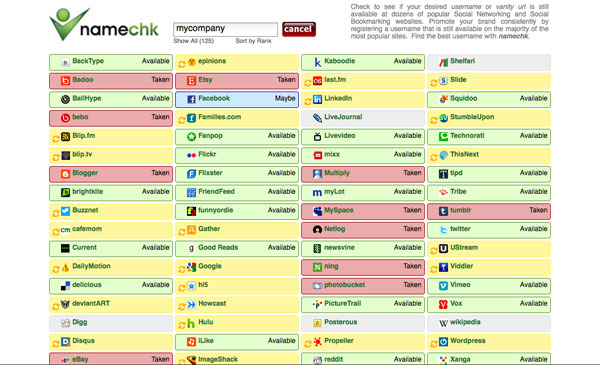
We have discussed only a small handful of social networks. There are hundreds, if not thousands, of others, and new ones spring up every day. That means that your customers will have many different ways to find you. But they won’t find you if your brand is scattered across social networks using different usernames and profiles. Let’s review some strategies for making sure that your brand is consistent across social networks.
Basic Strategy:
Usernames and user profiles are already showing up in search results. Do a search for your company’s name on Google right now — if you also have a Twitter account with the same name, odds are pretty good that the Twitter account will appear very high in the search results. This means that having a consistent username across the various social networks is very important. At a minimum, if you haven’t registered your company name on the major networks (Facebook, Twitter, LinkedIn, etc.), you should do that today. For many small businesses, their user accounts on social networks will be the highest ranked pages in search results.
You should also evaluate your email and web presence strategies. For example, are you using a Gmail email address when you can very easily be using a custom email address with your company name as your domain? Compare: restaurantname@gmail.com with john@restaurantname.com — which looks more professional? Similarly, are you hosting your blog at WordPress.com instead of on your own custom domain? Little details can make a difference.
Advanced Strategy:
Things get a bit more complicated when you consider that there are many different social networks, and it’s tough to predict which of them will become popular and which will fail. Use a service such as namechk or KnowEm to see whether your username is available on dozens of popular social networks and if it’s not, to see which username could be registered across all social networks.
Maintaining name consistency is important, but isn’t enough by itself. You’ll also want to make sure that your brand speaks with a common “voice” across the social networks. This may be easier said than done. Social networks differ in significant ways from one another and present unique challenges for interacting with customers and potential customers on those networks.
Speaking with a common “voice” doesn’t mean that only one person should execute your company’s social media marketing strategy, but it does mean that everyone who speaks on behalf of your company in social media reflects your brand in a consistent way. I recommend you read Shel Israel’s recently published book “Twitterville,” for excellent tips and stories focusing on how large and small businesses can develop a consistent voice in social media.
Leverage Combinations of Social Media Tools
One of the best ways for small businesses to leverage social media marketing is to use various social networks in combination with each other.
Basic Strategy: At a minimum, you should do several things today to cross-market across the various social networks you’re most likely already using. Here are three suggestions:
- 1. Connect your Twitter account to Facebook so that your tweets will appear in your public updates on Facebook. This will let you leverage your time on Twitter to also update your Facebook fans.
- 2. Connect your LinkedIn profile to your WordPress blog. LinkedIn allows you to publish, in your profile, synopses of the most recent blog posts on your blog. This application will automatically update your LinkedIn profile with your most recent blog posts.
- 3. Integrate Twitter tools into your blog. I like and use the TweetMeme retweet button on my blogs to make it easier for users to tweet about the blog posts. I also use the ShareThis tool to enable readers to quickly share content on multiple social networks.
Advanced Strategy:
Advanced strategies require careful planning/execution and appropriate tools. In nearly all cases, your goal is to maximize the value of your content. For example, if you’re posting videos on YouTube or Vimeo, you can blog about those videos on your company’s blog. Then, you can tweet about the blog posts on Twitter (which I assume is integrated with your Facebook account). This way, you’ve taken one piece of content and found a way to leverage it across multiple social networks.
You’ll also want to consider ways that you can optimize the distribution to multiple social networks at the same time. Leverage tools to help you do this. For example, Ping.fm lets you update multiple social networks all in one go. Keep in mind that not all social networks will make sense for every business. Learn which networks are best for your business and find ways to leverage combinations of those networks to make your marketing more effective.
Conclusion
Social media marketing can be a phenomenal marketing channel for small businesses. I hope that the strategies I’ve outlined above provide a starting point for you to explore how you can leverage social media marketing for your small business.
And if you have additional resources to share or other helpful advice that’s worked for your small business (or thoughts about things to avoid), please take a minute and leave a comment. We’d love to hear from you.

Participate On Other Blogs
It might seem counter-intuitive for you to spend your valuable time by participating in discussions on other people’s blogs, but the payoff can be very valuable. Remember that it takes time to build a reputation and establish your credibility, and you can’t always expect everyone to come to you. Sometimes, you have to go out and build your own credibility and reputation.
Basic Strategy:
Identify 2-3 blogs in your industry, or those that focus on small business, and get into the habit of regularly reading the content and participating in the discussions. Whenever you can, try to add value by sharing a personal story about what has/has not worked for you. Get to know the writers – they’ll be valuable contacts for you. One strategy for identifying good blogs is to use Guy Kawasaki’s Alltop, which is a directory of popular blogs across many different subject areas. For example, for blogs focused on crafts, you might follow this page on Alltop. If you want to participate in blogs focusing on small business issues, you might start at Technorati’s list of the Top 100 Small Business blogs.
Advanced Strategy:
Once you’ve spent some time on other blogs and have participated in discussions, you’ll find that you’ve built a level of credibility and trust, based on your participation. You should consider reaching out to the blog owners and asking whether they’d allow you to guest post an article on their blog (kind of like this post). This is a nice way for you to get in front of a bigger audience, and many blog owners will invite guests to post from time to time. Agree on a topic in advance and provide a draft of your post sufficiently in advance of the publication date to give them an opportunity to review.
Alternatively, ask if they would consider guest posting on your blog. Since you’re looking to attract more readers (and more potential customers), either option works well for that purpose. Don’t worry so much about going after the A-list blogs right away. There are many excellent blogs and it might take a bit of time to build your reputation to such a level that you’ll have opportunities to post in the top blogs. That doesn’t mean you should wait, though – make opportunities for yourself and offer to guest write whenever you can find a new audience. I recommend you read How To Guest Post To Promote Your Blog from blogging expert Darren Rowse.
Mobile Social Networks and other Local Strategies
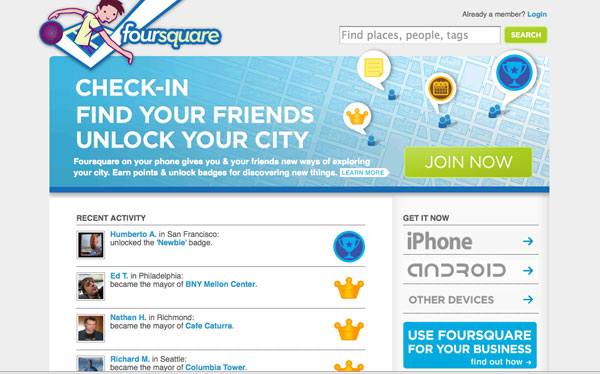
Yelp publishes millions of reviews about local businesses. Foursquare is a combination city-guide, friend finder and competitive game. It allows users to “check in” by cell phone at a local venue and announce this via other social networks such as Twitter.
Basic Strategy:
Yelp, Foursquare, and other mobile social networks can be powerful marketing channels for small businesses. You should at the very least register accounts on the popular services and get to know them. If you have a restaurant or a retail store, for example, you’ll want to get to know Yelp pretty well. You can set up a business account on Yelp (no cost), which will let you answer questions about your business, track how many Yelp users view your business page, add information about your business, and announce special promotions. Similarly, you’ll want to sign up with Foursquare to take advantage of local advertising opportunities. Using Foursquare, you’ll be able to push promotions to potential customers who’re in the vicinity of your business.
You should also consider other local strategies. For example, you can add your business to Google Maps, or update your listing to include additional details. You can do the same on Bing.
Advanced Strategy:
If you believe that your business can truly benefit from a presence on Yelp, Foursquare, or similar networks, you’ll want to do more than just register accounts with those services. For example, Yelp allows you to include a website URL for your business. Nearly all sites will let you upload photos to your profile, and photos will make your profile more trustworthy.
You can also proactively use Yelp and other similar services to promote your business. Ask your customers, friends and family who have used your services for a review on Yelp. You can encourage reviews by running promotions or discounts – offering free appetizers, for example, to a customer who will write a review about their meal at your restaurant (or to one who already wrote a review), or a small discount to a customer who hires you for carpentry work and mentions that they found you through Yelp.
Similarly, you can find ways to promote your business using Foursquare and similar networks. If you have a TV display in your store connected to a computer, you can display the people who are checking in. You can offer specials or discounts to the person who visits your location the most (this is similar to frequent buyer cards that many businesses have used for years).
Don’t forget to also consider how you can improve your use of other basic local strategies. For example, many small business websites are optimized for specific keywords or subject areas, but are rarely optimized for local searches. If you have a gift basket business, you’ll want to be sure that users searching for gift baskets in your geographic area will find you.
Comments and Conversations About Your Company
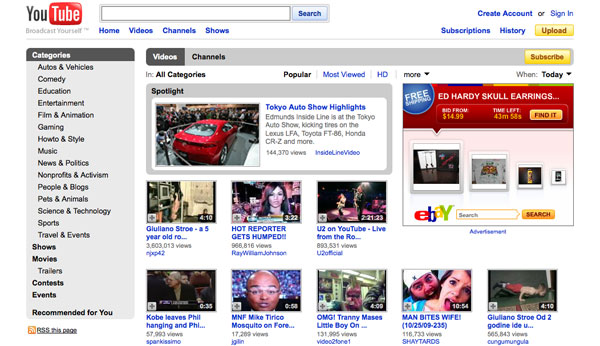
Whether or not you are a party to the conversations, people will talk about your company. How do you monitor and, when appropriate, join those discussions?
Basic Strategy:
There are five simple steps you can take today to begin paying attention to conversations about your business.
- Set up Google Alerts. Google Alerts are free email updates from Google search results about any topic you’re interested in tracking. For example, I track, among other alerts, the names of our competitors, the name of our company, and certain other terms I believe are important to my business. Anytime Google adds something to its index that mentions my company or the other terms I’m tracking, I receive an immediate email notification with a link to that item. Alerts can be set up for web, blog, news, video, or groups searches.
- Review the results in your web analytics data. At my company, we use Google Analytics. Google Analytics is a free tool from Google that provides detailed and very useful information about your website traffic and the effectiveness of your marketing efforts. When we run social media campaigns, we’ll often attach tracking tags to those campaigns so that we can properly monitor them in Google Analytics. This is important because without such data it will be nearly impossible for you to evaluate the success of your social media marketing efforts. But analytics are important for another reason: they’ll tell you which sites are sending traffic to your site.
- Search Facebook. In August, Facebook rolled out a real-time search engine (the search box is on the top right of any Facebook page). One effective way to take advantage of Facebook search is to search for your company’s name to see who is talking about your company and what they’re saying. In several months, you’ll be able to search Facebook updates directly from Bing, which will be integrating Facebook public updates into Bing’s search results.
- Search Twitter. You currently can search Twitter for real-time results (if you’re not logged in, just go to Twitter’s homepage). One easy way to monitor conversations about your company is to search for your company’s name. You can also currently do this on Bing, which is indexing Twitter updates. Very soon, you’ll also be able to search Twitter updates (and other social media content) via Google’s Social Search (Social Search was rolled out to Google Labs recently, as an experimental product). You can also use Twitter clients like TweetDeck or Seesmic to save searches and monitor in real-time whenever someone uses a specific word or phrase in a tweet.
- Take advantage of services that will, similar to Google Alerts, push data to you. I use and like BackType, which is a real-time search engine that indexes online conversations in thousands of blogs and social networks. I use BackType primarily to keep up with conversations in blogs. Every day, I receive emails from BackType with links to comments that include the keywords I’m monitoring. Without these alerts, I would be unable to monitor so many blogs, and my ability to respond to posts about my company would be very limited.
- 1. to comments that include the keywords I’m monitoring. Without these alerts, I would be unable to monitor so many blogs, and my ability to respond to posts about my company would be very limited.
Advanced Strategy:
If you’re having trouble keeping track of your various search strategies, you should consolidate your efforts and leverage one of the many applications that will help you monitor the social web. I have not personally used these services, but they appear to be held in high esteem by knowledgeable people who have. For example, truVOICE provides keyword monitoring of the social web with an emphasis on blogs and forums, while Radian6 pulls in a lot of information from the social web, analyzes it, and provides consumer sentiment ratings for your brand. A good resource to learn about paid social media monitoring tools is Mashable’s post Top 10 Reputation Tracking Tools Worth Paying For.
In addition to monitoring, you’ll need to decide how, when, and where you’ll engage in conversations. It’ll be very difficult for you to engage in conversations everywhere, so you should spend some time learning the various networks and deciding where you should focus your efforts. Looking at your website analytics data — if you own an online business — will help a great deal because it’ll help you to better understand where your traffic is coming from. If much of your traffic originates from Twitter and Facebook, for example, you’ll want to spend more time on those services.
- My Page won’t load.
- Posts on my Facebook Page disappear and reappear.
- My Page Insights aren’t loading correctly.
- My Page isn’t showing up in Facebook’s search results.
- I can’t tag a Page in a photo.
- Why isn’t the ads set up page or Ads Manager working?
- Why don’t I see my Page name in the destination box drop down when I create my ad?
- Why can’t I advertise my Group?
- Why is my ad campaign empty after I create an ad?
- Why isn’t my ad or sponsored story isn’t receiving any impressions today?
- Why do my ads sometimes get a big spike in impressions right after they’re turned on?
- Why can’t I see my own ad on Facebook?
- Why is one ad performing significantly better than the same ad in a different campaign?
- Why is one ad in my campaign performing so much better than another ad in the same campaign?
- How do I view the my other ad accounts?
- What does pending review mean?
- Why have the stats in my Ads Manager changed since pausing my ad?
- Why does my ad keep automatically pausing after I activate it?
- Why is the suggested bid range for my ad different in my Ads Manager and on the ad set up page?
- Why didn’t my ad go live immediately when I created it in an already existing campaign?
- Why do I have more connections than clicks in my reports?
- Why did I get the message “No data available” when I tried to pull a report?
- I lowered my daily budget today. Why was I charged more than my new budget amount?
- What is the minimum password strength? How can I make my password strong?
- What’s the difference between logging in and signing up?
- How do I sign up for Facebook?
- Why am I getting a Facebook invitation email from a friend?
- Can I create a joint Facebook account or share a Facebook account with someone else?
- What is the minimum age required to sign up for Facebook?
- Facebook – Does it cost money to use Facebook? Is it true that Facebook is going to charge to use the site?
- What is the difference between a business account and a personal account?
- How do I add a security question to my account?
- It says my email address is invalid.
- It says there is an existing account associated with my email address.
- I entered my email address incorrectly when I signed up. How do I change it?
- I received an email that I created a new Facebook account, but I didn’t sign up for a new account.
- My name was rejected during sign up.
- I can’t find my Facebook sign-up confirmation email.
- I get an error using the Facebook sign-up confirmation email.
- I didn’t receive a text message with my confirmation code.
Ad Delivery
-
Increase your maximum cost per click or maximum CPM bid.
Make sure that your bid is at least within the suggested bid range you see in the pricing section when you’re setting up your ad, or if you ad is already created, in your Ads Manager. If your bid is lower than this range, it is unlikely that your ad will receive many impressions. -
Check your estimated audience reach.
When you create your ad, you’ll see the estimated size of the audience you are eligible to reach on the right hand side of the page. It will change dynamically as you add different targeting options to your ad. If your potential audience is too small, try relaxing your targeting parameters. - Make sure your ad is relevant
Target your ad to the most appropriate audience. Your ad will perform better and continue run successfully if it is displayed to people who are part of an audience that is likely to be interested in your product or service.
If one of your ads or sponsored stories is underperforming, experiment with creating a new version with a different image or text and targeting to see if it gets more clicks.
Ads Manager
To edit your Page’s settings:
- At the top of your Page, click Edit Page

- Select Update Info
You can also edit an ad by clicking Edit Ad below the ad preview in your Ads Manager. This will take you to the ad set up page where you can make changes to your targeting. Your revised ad will be paused until it is reviewed by Facebook.
- Click on the name of the campaign you’d like to activate in the left navigation bar of your Ads Manager
- In the box above your ad stats chart, click on the Edit link next to “Status: Paused”
- Select Active from the menu
- Click Save
You can then resume the ads within that campaign by clicking on each ad’s status individually.

